Create API User on FortiManager Cloud
How to obtain an API key for FortiManager Cloud
API access to FortiManager Cloud is managed centrally through the FortiCloud Identity & Access Management (IAM) portal. Because the cloud environment is integrated into the Fortinet SaaS ecosystem, you do not have the option to create a "Local User" within the FortiManager Cloud instance interface for API access.
Instead, you must provision an IAM API User via the FortiCloud portal. This process generates a unique IAM API ID and IAM Password, which the ThreatSabre Agent uses to authenticate and retrieve managed device telemetry from the cloud-hosted orchestration layer.
Step 1: Access FortiCloud IAM service.
Log in to FortiCloud using your organization credentials, then navigate to the IAM service.
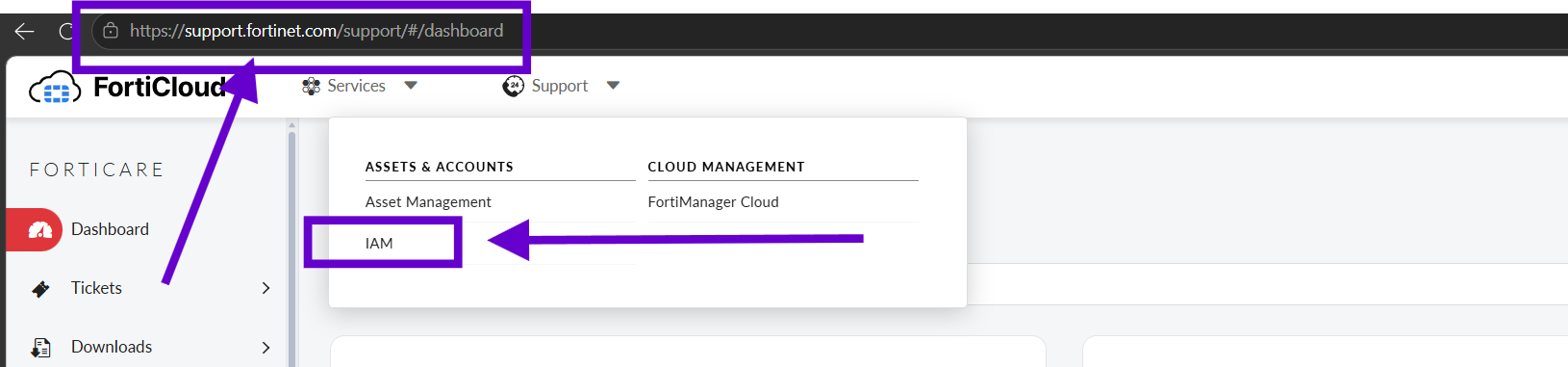
Step 2: Define the Permission Profile.
The permission profile acts as the security policy for the API user, ensuring it can only "read" data without making changes.
In the sidebar, select Permission Profiles and click Add New.
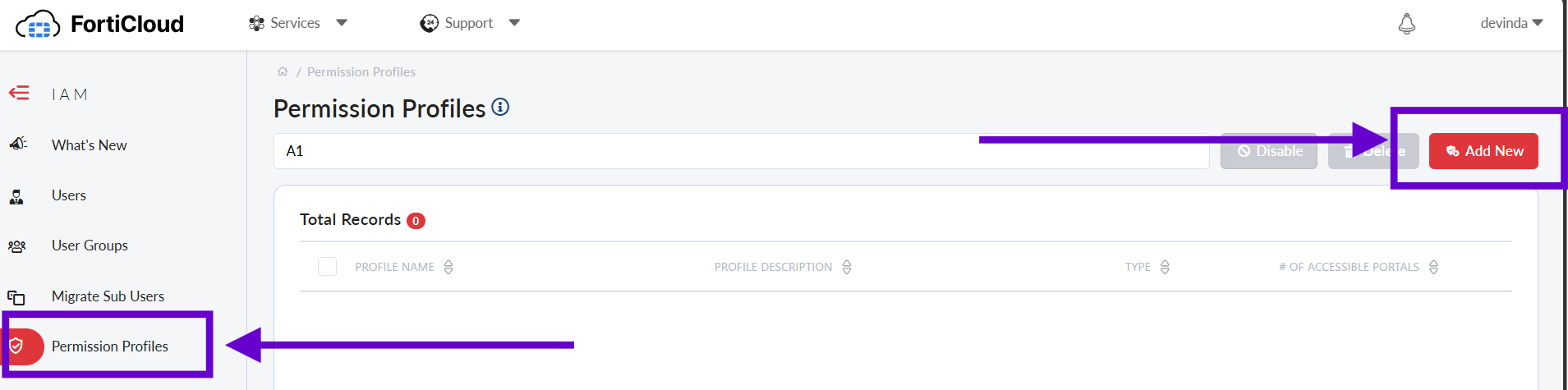
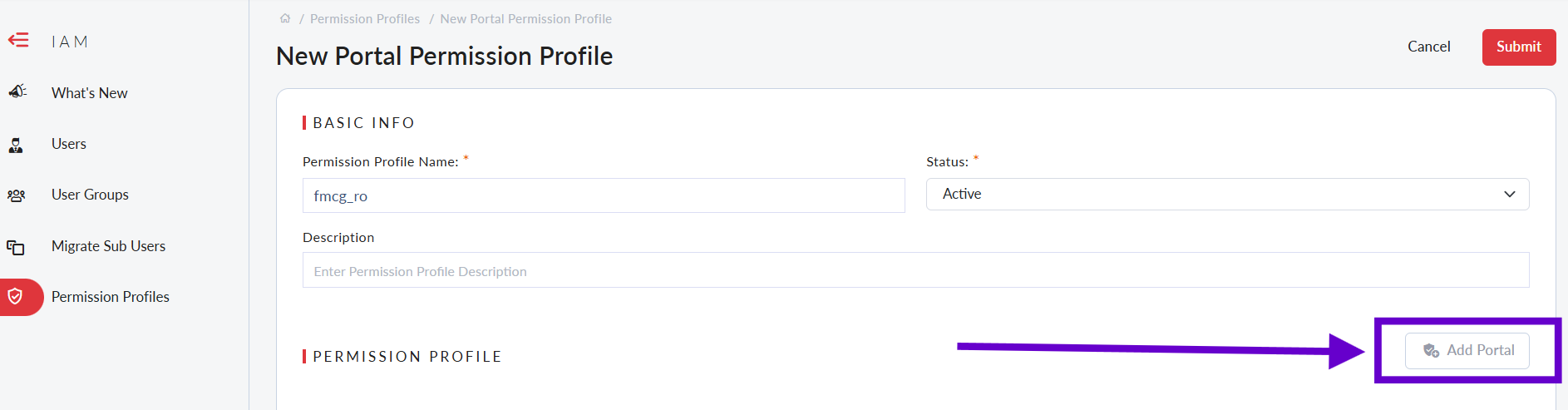
Profile Name: Enter fmgc_ro.
Service Access: Navigate to Add Portal, locate the FortiManager Cloud service, and click Add.
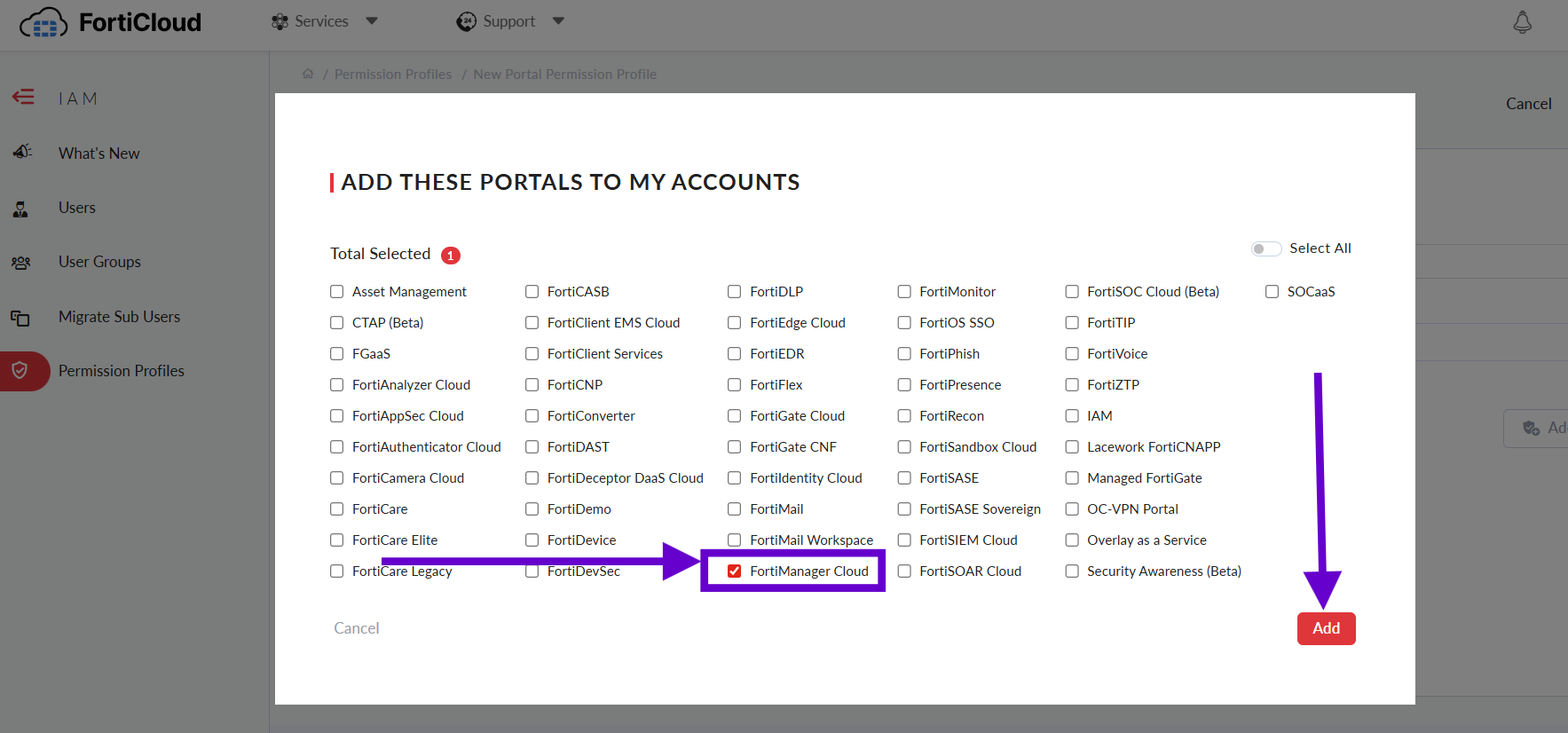
Access Level: Set the permission to Read Only, and Submit.
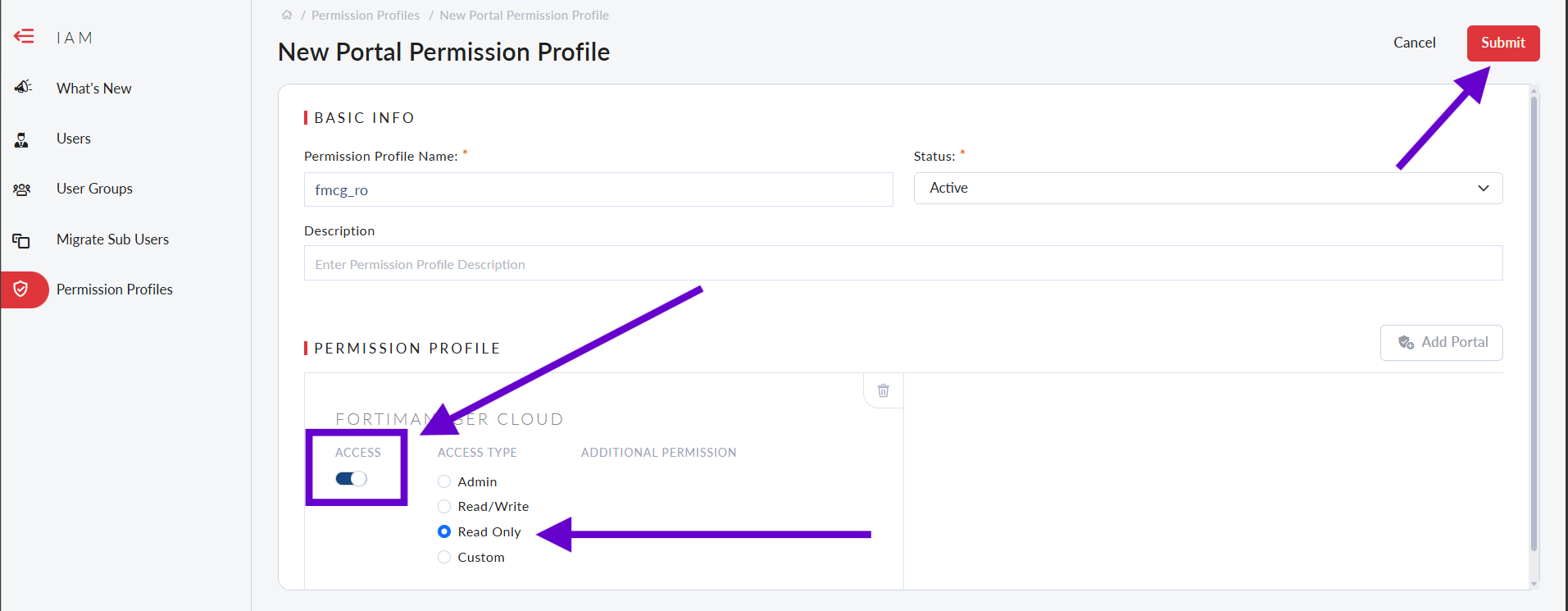
Step 3: Create the API User Account
Once the permission profile is defined, you must create the identity that the ThreatSabre Agent will use.
In the IAM sidebar, navigate to Users > Add New > API Users.

User Details: Provide a name (e.g., ThreatSabre_FMGC_RO).
Permission Profile: Select the fmgc_ro profile created in Step 2.
Scope: Ensure the scope is set to My Assets.
Confirm and Generate: Click Submit.
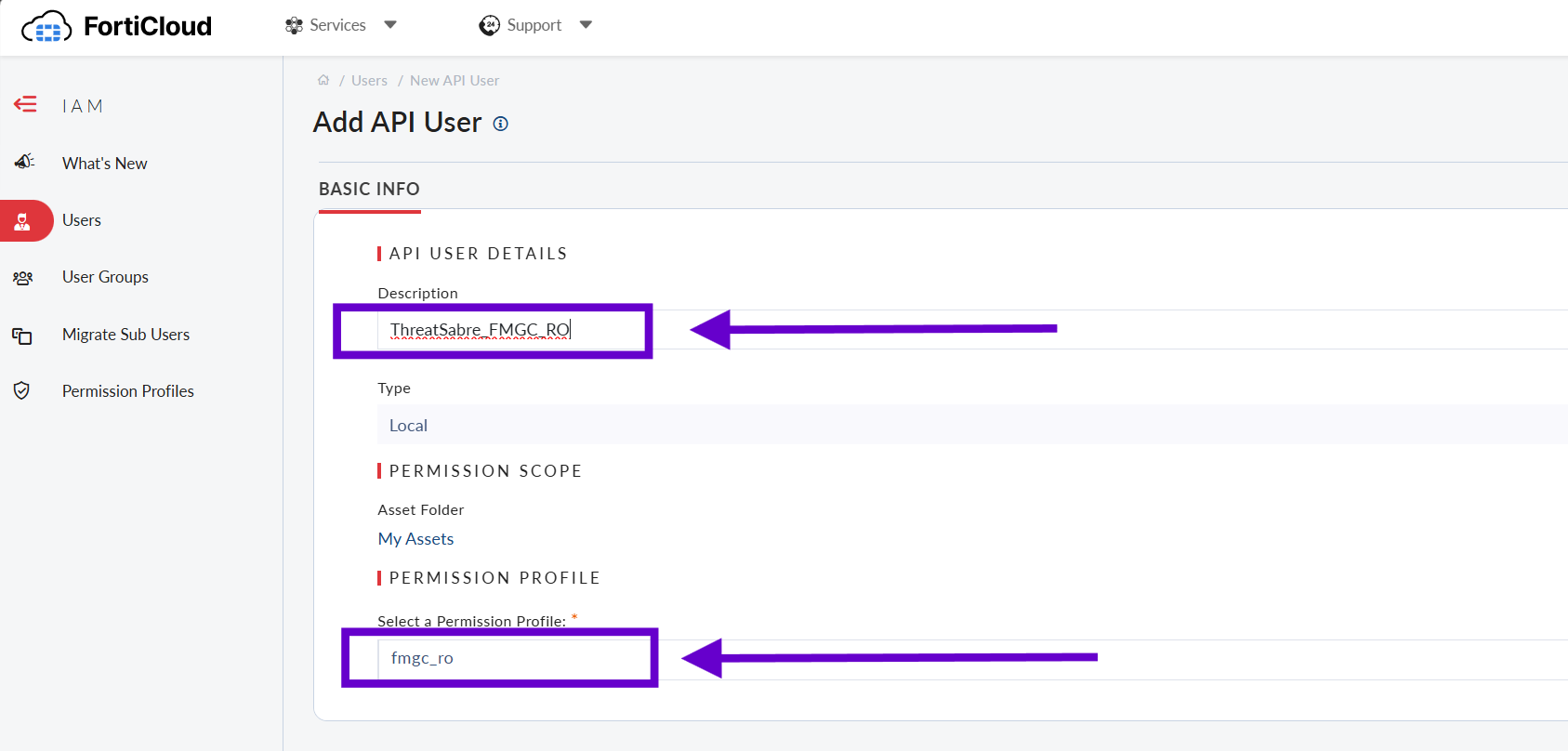
Step 4: Secure Credential Retrieval
Upon submission, the portal will generate the necessary credentials. This is a one-time process.
Download Credentials: The portal will prompt you to download a credential file that includes your IAM API ID and IAM Password. You must download this file to proceed.
Encryption Password: Before the download begins, the portal will prompt you for a secret/password to encrypt the credential file.
Finalization: Click the download button to save the encrypted file.
The IAM Password is not stored in plain text and will never be shown again in the portal. You must retain both the downloaded file and the encryption secret you created to register the device in the ThreatSabre Dashboard. If these are lost, you must download the credentials again from the FortiCloud IAM.
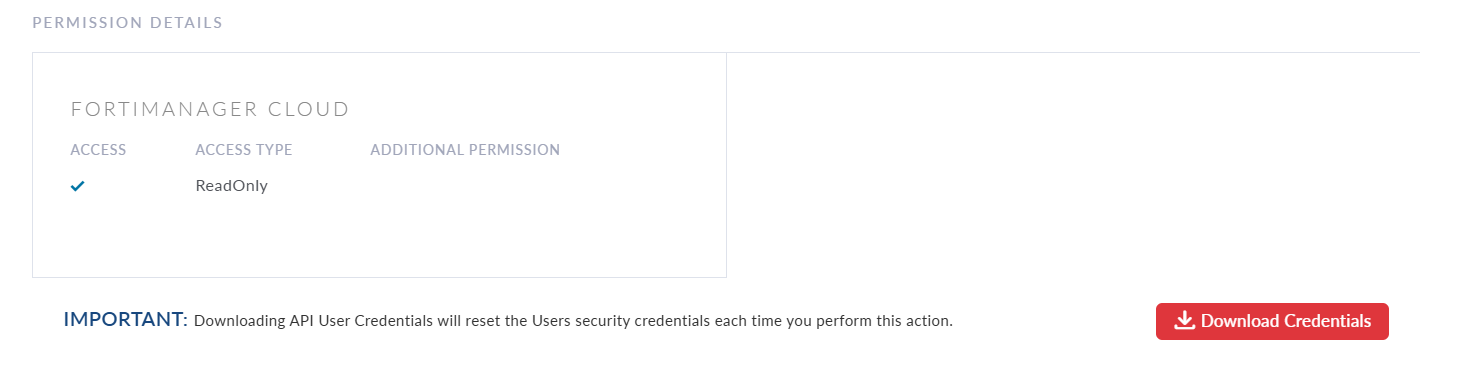
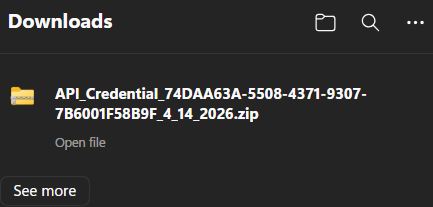
Open the ZIP file with the secret/password you specified when downloading the credentials. Inside is a text file with the IAM API ID and IAM Password needed to onboard FortiManager Cloud as an Agent Device within ThreatSabre.
For the Agent Device URL for FortiManager Cloud, enter the specific URL for your instance (for example, https://<account_id>.<region>.fortimanager.forticloud.com). You can obtain your instance's URL from your browser's address bar once you have accessed FortiManager Cloud.